How to Remove Your Name From Google Search
Drash Eldetron
Writes about digital privacy, reputation, and online presence.
October 22, 2026
Most people searching for how to remove their name from Google want one thing: for their name to stop pulling up results they don’t want. Google doesn’t keep a list of names it can delete, though — it removes individual results, and only certain kinds. Even when it does, the page stays on the source site.
Here are five steps, from what Google removes itself to what to do with what's left.
Quick overview
- Google removes individual results, not your name, and the page itself stays online at its source.
- Results about you covers phone numbers, home addresses, emails and government ID numbers, and an approval can hide the page from all searches or only from searches on your name.
- Bank and card numbers, medical records, passwords and doxxing go through a personal content request, which reviews only the URLs you list.
- Only removal at the source deletes the page; what stays can be pushed down.
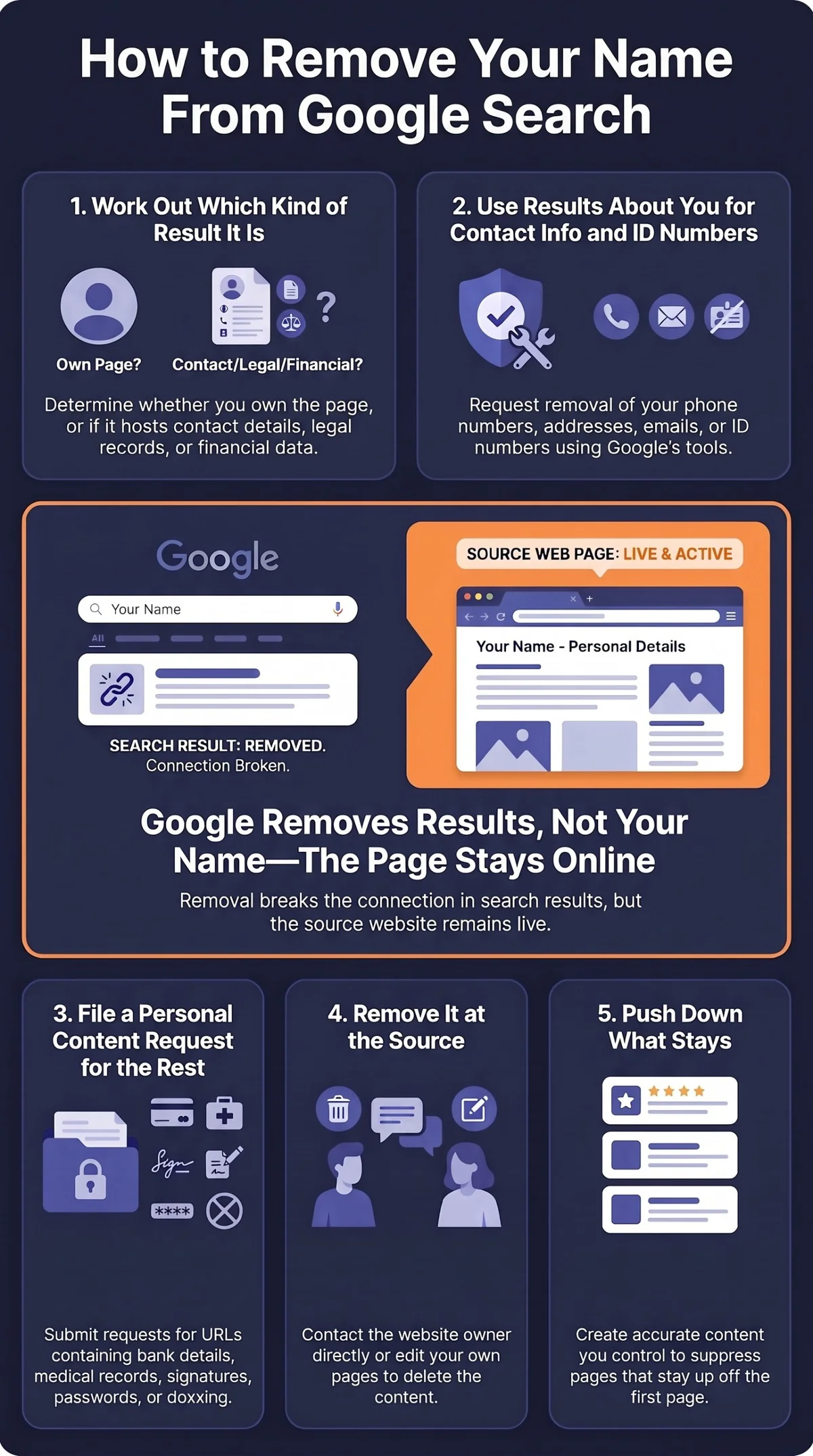
What Google can and can’t remove
Google doesn’t remove a name. It removes individual results, so a request is always about a specific page.
There are two layers here. The result is what Google shows, and the page is what the website publishes. Google’s tools only touch the first.
A removal can also be partial: the page may disappear for searches that include your name but still show up for other searches.
The 5 steps
1. Work out which kind of result it is
Look at what each unwanted result actually shows. The kind of content decides which request applies.
If it’s your own social profile, blog or website, you can change or delete it yourself, so skip to step 4.
If it’s contact details or a government ID number on someone else’s page, start with step 2. Bank or card numbers, medical records, passwords and threats are step 3. Articles, court records and listings need step 4 first.
2. Use Results about you for contact info and ID numbers
Google’s Results about you page covers phone numbers, home addresses, email addresses and government ID numbers such as a Social Security, passport or driver’s license number.
Open the page, enter your name and the details you want monitored, then go through the matches under “To review”. Select a result and choose “Request to remove.”
You get a confirmation email within a few hours, and the request shows as In progress, Approved or Denied. An approval can hide the URL from all searches or only from searches containing your name.
3. File a personal content request for the rest
Other sensitive content goes through Google’s personal content removal request. It covers bank account and credit card numbers, images of a signature or ID, medical records, passwords, and doxxing, meaning personal information paired with threats or gathered in large amounts without a legitimate purpose.
List the exact URLs, because Google reviews only those. Content that isn’t covered by these policies but must come down under the law goes through a separate legal removal request.
4. Remove it at the source
A Google removal doesn’t delete the page. To delete it, contact the website that publishes it and ask for removal, or edit it yourself if it’s yours.
Once a page is gone, it drops out of Google’s results over time. If it’s a court or arrest record, our guide to removing court and arrest records covers the methods that work for those sites.
5. Push down what stays
Some pages stay up, and Google won’t always remove the result either. Then the practical option is to move them off the first page of your name’s results with accurate content you control.
That is search suppression: it doesn’t delete anything, it changes what people see first.
When to get help
Steps 2 and 3 are free and you can do them yourself. Help makes the difference when a request is denied, when the same URL keeps coming back, or when many pages are involved.
Our Google de-indexing service matches each URL to the category Google acts on and follows up at the source. If you’re not sure a page qualifies, our free removal assessment gives you a quick read first.
Not sure which of these applies to your results? Get in touch and we’ll look at it with you.
Frequently asked questions
Does removing a result from Google remove it from Bing and other search engines?
No. Google can only remove content from its own Search results. The same page can still appear on other search engines and can still be reached through links and social media. Each search engine has its own removal process, so a Google approval doesn't carry over.
If I delete my own page or profile, how long until it disappears from Google?
Google says content the site owner has removed will eventually drop out of Search through its regular updating, but no timeline is given. If a result still shows old information after the page has changed, you can ask Google to refresh it with its outdated content tool.
Can someone else file the request for me?
Yes. A representative can submit a removal request on your behalf, and Google reviews it the same way. Only the person the content is about, or their representative, can start a request, so a stranger can't file one against your results.
Why would Google deny a request?
Google generally won't remove results from pages owned by educational or government institutions or newspapers, since it treats them as valuable to the public, and it may keep newsworthy content. When a request is denied, Google shows the reason in the Results about you page.
Start today
Not sure what to do next?
Tell us what's happening. We'll tell you honestly what your options are, confidentially.
Get my confidential assessment